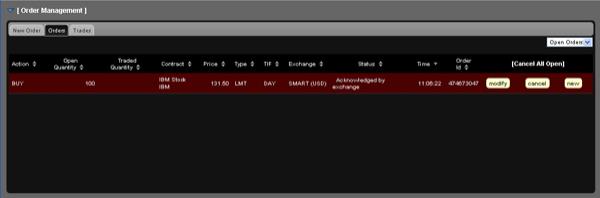
You can review, modify or cancel any orders that have not yet executed from the Orders page.
To view open orders
In the Order Management Panel, click the Orders tab.
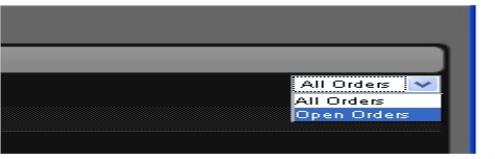
Select one of the options from the drop-down list in the upper right corner of the Orders tab:
Select Open Orders to display only open orders.
Select All Orders to display all orders, including executed and canceled orders.
You can sort the information on the Orders tab by any column. Simply click a column name to sort by that column.
Use the modify, cancel or new links to modify the order parameters of an open order, cancel an open order or create a new order for the same instrument.