You are here: Manage Orders > Order Management Panel
Order Management Panel
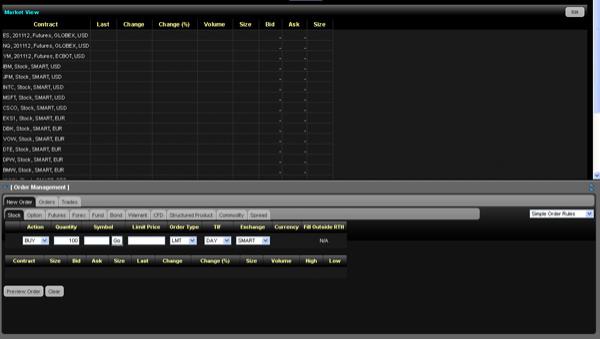
You create and submit orders on the Order Management Panel, which is available on any page in WebTrader. You can show or hide the Order Management Panel by clicking the title [Order Management] or the blue arrow on the left side of the title bar of the panel.
Any panel or item in WebTrader that displays a small blue arrow can be expanded or collapsed.
The Order Management Panel contains three main tabs:
New Order - Create orders on this tab. The New Order tab contains tabs for IB’s asset types (Stocks, Options, Futures, etc). You can create orders by clicking the appropriate asset type tab, filling in the order fields, then submitting the order.
Orders - Check the status of any order on this tab. You can view only open orders or all orders, you can cancel orders and you can create orders from executed or canceled orders on the Orders tab.
Trades - View execution reports in list or summary format on this tab.